Dragonframe logo
Buy DragonframeUpgrade DragonframeFree Dragonframe Trial


Moco/Hardware

IOTA 3D Slider
Motion
Control

arc Motion control

Multiple axes within Arc motion control software interface

Using the IOTA Controller with Arc

If you're using motors under 1.8 amps—you can work directly with our IOTA controller. Each IOTA Controller contains two stepper motor drivers. A small four axis rig can be run easily with two IOTA Controllers, with little extra wiring.

Using Arduino with Arc

The Arduino is an inexpensive hobby circuit board that is widely available. Load our DFMoco sketch onto it, do some basic wiring, and you have a step and direction signal generator for up to eight motors.

If you have a larger rig with dedicated drivers already in place, you can easily make a new step and direction cable straight from the Arduino Mega.

Alternatively, you could wire up the step and direction signals to a small stepper motor driver, such as the EasyDriver

step and direction cables from Arduino

Introducing Arc Motion Control

The Arc motion control workspace provides an interface for programming complex, multi-axis camera moves, directly within Dragonframe. You can control stepper motors using our IOTA Controller box (two channels per box) or the Arduino. The Arduino can interface with any standard stepper motor drivers, and control up to eight channels at once (8 for the Mega/Mega 2560, 4 for the Uno/Duemilanove).

Arduino Mega 2560 board

Motion Control hardware will enable you to perform the most dynamic camera moves.


3d stereo shooting[ back to top ]

3D image in software interface

Automate 3D Shooting

You can fully configure and automate your 3D shooting directly within Dragonframe's Arc motion control workspace. Connect our IOTA 3D Stereoscopic Slider or the Mark Roberts S3 Stereoscopic Stepper, then configure a special 3D axis within the Arc workspace. You can set interocular distances and shoot test stereo tests within minutes. You can even set multiple keyframes on each stereo position and animate the interocular distance over time.

IOTA bundle

Iota slider + iota controller

The IOTA is a high-precision linear slider for shooting 3D image pairs. The IOTA Controller is a two-channel stepper motor controller with DMX lighting automation and digital I/O. They are the ultimate solution for capturing 3D animation.

triggering other sliders

If you choose to use another slider, you can trigger it via Arduino with some fairly simple code.

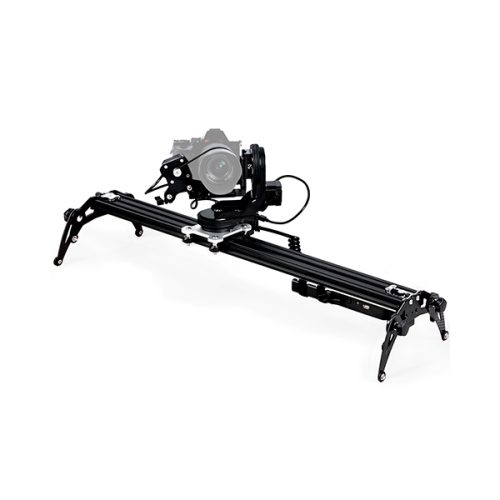
If your slider is controlled by a stepper motor, you can use the IOTA Controller or Arduino DFMoco to control it through the Arc motion control workspace.

     
"We particularly appreciate Dragon's ability to preview in 3D. The opportunity to evaluate stereo directly in Dragon, without exporting to compositing programs, truly accelerates our work flow. It's not just that Dragon gives you a 3D preview, it gives you professional 3D controls such as parallax adjustment for both channels and calipers for measuring the degree of the parallax."
—BreakThru Films

Shooting 3D Stop Motion Animation

The most common technique for 3D stereoscopic shooting of stop motion animation is to use one camera on a special left/right slider. For every frame of animation, the camera shoots one or more images for the left eye, moves into the right eye position, and shoots one or more images in that position.

Dragonframe's multiple exposure feature is a perfect way to set up left and right "sub-frames". This way, Dragonframe will shoot multiple images per frame. In addition, you can name the exposures to identify if they are left or right eye images, making it easy to work with the files in post-production.


dmx Lighting[ back to top ]

DMX lighting hardware for stop motion

about the ddmx-s2

The DDMX-S2 is a hardware device that you can pair with Dragonframe to:

  • Automate a work light (bash light) turning on and off.
  • Automate front-light/back-light lighting passes.
  • Automate keyframe-based lighting programs for your scene.
  • Trigger a RED camera, film camera, or unsupported still camera.
  • Trigger a motion-control system for shoot-move-shoot integration.
  • Trigger Dragonframe from an external system.

Control Lighting

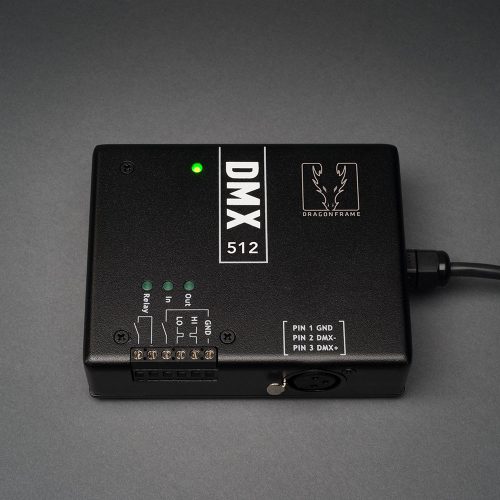
DMX512 (or DMX) is a standard protocol for controlling lighting. When paired with one or more DMX dimmer/switch packs, you can control up to 99 different light channels.

Control Devices

Interact with external devices using the built-in relay switch, digital input and digital output.

What else do I need?

The DDMX-S2 interfaces Dragonframe to one or more DMX dimmer/switch packs. You will need to buy a DMX dimmer/switch pack in order to power your lights. You can find several DMX dimmer packs at Amazon.com. Make sure that the one you choose can handle the power requirements of your lights. You will also need a cable. If you use a 3-pin DMX dimmer pack, you can use any standard XLR microphone cable. If you use a 5-pin DMX dimmer pack, you will need a 5-pin to 3-pin adapter.

Shooting in 3D?

If you plan to shoot in 3D, make sure to check out IOTA, our new stereoscopic slider and controller designed by General Lift. It includes the same DMX and I/O functionality as the DDMX-S2.


DDMX-S2 hardware for Dragonframe software
DDMX-S2 details


iota controller[ back to top ]

IOTA Controller

The IOTA Controller is designed to control the IOTA 3D Sterescopic Slider.

IOTA controller interfaces with Dragonframe software
Automate 3D stereoscopic shooting using our two channel stepper motor control.
Automate lighting and interact with external devices with built-in DMX and digital I/O support. Program scene lighting with keyframes, automate bash lighting, and configure exposure lighting for advanced effects.

SEE DETAILS
Back panel of IOTA controller
Front panel of IOTA controller
IOTA Controller details

About the IOTA Controller

  • Automate a work light (bash light) turning on and off.
  • Automate front-light/back-light lighting passes.
  • Automate keyframe-based lighting programs for your scene.
  • Trigger a RED camera, film camera, or unsupported still camera.
  • Trigger a motion-control system for shoot-move-shoot integration.
  • Trigger Dragonframe from an external system.

Control Lighting

DMX512 (or DMX) is a standard protocol for controlling lighting. When paired with one or more DMX dimmer/switch packs, you can control up to 99 different light channels.

Control Devices

Interact with external devices using the built-in relay switch, digital input and digital output.

What else do I need?

The IOTA Controller interfaces Dragonframe to one or more DMX dimmer/switch packs. You will need to buy a DMX dimmer/switch pack in order to power your lights. You can find several DMX dimmer packs at Amazon.com. Make sure that the one you choose can handle the power requirements of your lights.
You will also need a cable. If you use a 3-pin DMX dimmer pack, you can use any standard XLR microphone cable. If you use a 5-pin DMX dimmer pack, you will need a 5-pin to 3-pin adapter.

IOTA controller and slider bundle

Iota slider + iota controller

The IOTA is a high-precision linear slider for shooting 3D image pairs. The IOTA Controller is a two-channel stepper motor controller with DMX lighting automation and digital I/O. They are the ultimate solution for capturing 3D animation.

Shooting 3D Stop Motion Animation

The most common technique for 3D stereoscopic shooting of stop motion animation is to use one camera on a special left/right slider. For every frame of animation, the camera shoots one or more images for the left eye, moves into the right eye position, and shoots one or more images in that position.

Dragonframe's multiple exposure feature is a perfect way to set up left and right "sub-frames". This way, Dragonframe will shoot multiple images per frame. In addition, you can name the exposures to identify if they are left or right eye images, making it easy to work with the files in post-production.


iota 3d slider[ back to top ]

IOTA 3D Slider

IOTA 3D Slider

Shoot 3D animation with our professional- grade stereoscopic slider designed and manufactured by General Lift.

Fully integrated with Dragonframe: set multiple interocular distances and assign stereo channels to animation exposures.

Control lighting and interact with external devices. The IOTA Controller provides the same DMX lighting control and digital I/O functionality as the DDMX-S2.

About the IOTA Controller

Automate your 3D shooting with our new 3D slider settings:

  • Configure multiple interocular distances.
  • Assign stereo positions to specific exposures (sub-frames).
  • Configure left or right-eye dominance.
  • Compensate for underslung camera mount.

IOTA 3D Slider front
IOTA 3D slider details

IOTA 3D Slider + IOTA Controller BUNDLE

The IOTA is a high-precision linear slider for shooting 3D image pairs. The IOTA Controller is a two-channel stepper motor controller with DMX lighting automation and digital I/O. They are the ultimate solution for capturing 3D animation.

Control Lighting and External Devices

The IOTA Controller has all of the same DMX lighting control and digital I/O functionality as the DDMX-S2.

If you are shooting in stereo with the IOTA, you do not need the DDMX-S2.

Materials

The IOTA is fabricated from aircraft quality aluminum, 6061-T6 for durability and precision. All the bearings, rails and hardware are of the highest quality available to assure the filmmaker of accurate and consistent results for the most demanding productions.

Design Features

The IOTA design comes from the long history of a company and associates working in Stop Motion Production; from "Pee Wee's Playhouse", "Nightmare Before Christmas", "James and the Giant Peach", "Corpse Bride" and now "Coraline".


live-view correction cap[ back to top ]

Canon EOS DSLR live-view correction cap

Introducing the LIve-view correction cap

Live View Correction Cap for Canon EOS DSLRs corrects a compatibility issue between camera and non-digital lenses, allowing the ability to match live view with actual camera exposure.

About the live-view correction cap

The EOS Live View Correction Cap is designed to reset the Live View Exposure Simulation level in Canon EOS camera bodies.

Canon EOS live view cap with chip

Live-view exposure correction cap on Canon EOS body

The Issue:

Many of the EOS cameras have a setting called “Exposure Simulation.” This setting is designed to ensure the Live View image brightness matches the actual photos shot. Unfortunately Canon drops the ball with non-digital lenses. The camera actually knows the current correct exposure, hence the ability for the light metering to be correct, but fails to communicate properly to the internal “Live View Exposure Preview Calculator.” Instead, the internal calculation is locked - based on the last digital lens attached to the camera.

The Solution:

The Live view correction cap is an EOS body cap with a chip that mimics many settings on a Canon digital lens. You place the cap on your EOS camera body and follow our directions to effectively “Zero” the frozen f-stop setting from the last digital lens used.

When you remove the cap the Exposure Simulation will be set correctly. The camera will stay zeroed and the internal Exposure Simulation Calculator will then work properly *until the next digital lens is connected to the camera.

Major studios are currently using the cap on their feature productions.

ALSO, as always with Dragonframe, we strive for better working solutions, if you have a simpler fix please let us know - so we can spread the word!


dragonframe keypad controller[ back to top ]

Dragonframe USB Keypad Controller

About the Keypad Controller

Break free from the computer and get closer to your animation with the Dragonframe Keypad Controller.

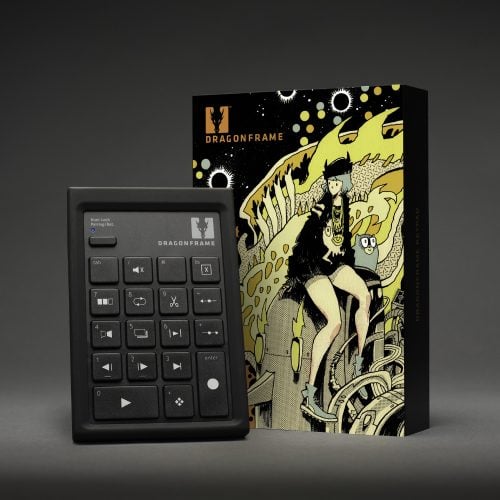
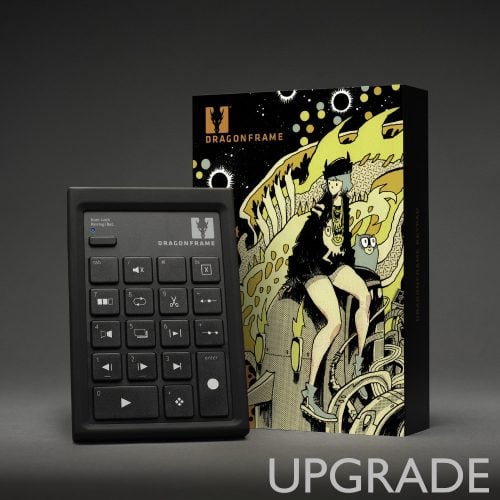
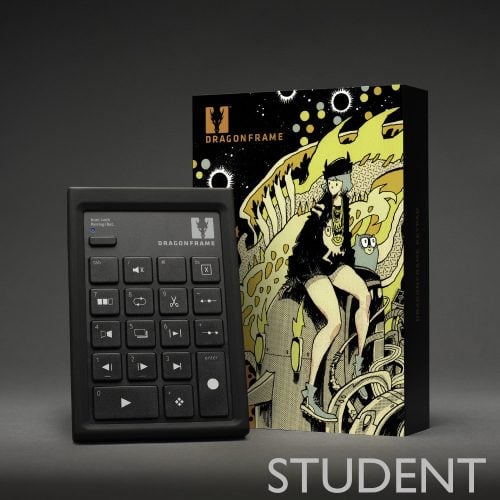
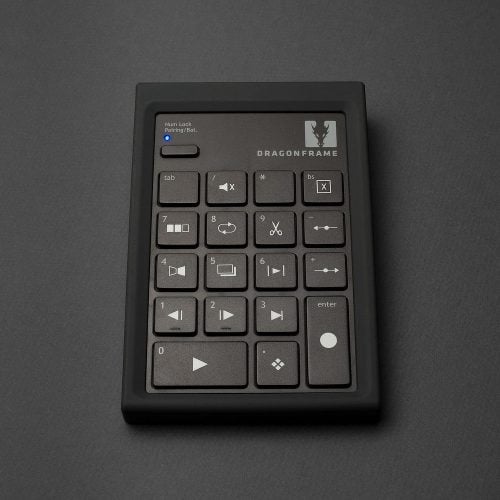
The Dragonframe Keypad Controller is a high-quality USB keypad for controlling the most important Dragon functions. It features screen-printed icons and a ten-foot long USB cable.

It is included with your purchase of Dragonframe, or you can buy it separately for $25.

Keyboard layout


0 Shoot
1 Step Backward
2 Step Forward
3 Jump to Live
4 Auto Toggle
5 Toggle
6 Short Play
7 Play to Black
8 Loop
9 Cutback
- Onionskin Left
+ Onionskin Right
/ Mute
bs delete
. High=Res
see details
Keypad front details
Keypad angled view
Keypad details


arduino integration[ back to top ]

Arduino Uno for integration with Dragonframe animation software

About ARDUINO INTEGRATION

Arduino (http://arduino.cc/) is a hobby electronics board with open-source software and hardware specifications. With some simple wiring and pre-made software, you can wire the Arduino to work with Dragonframe. We provide two different ways to use Arduino with Dragonframe. One is a simple two-way remote control for sending commands to Dragonframe and receiving events from it. The other is a multi-axis stepper motor signal generator for use with our Arc Motion Control workspace.

You can purchase an Arduino Uno for about $30 USD from a distributor.

Two-Way Remote (DFRemote)

Create a remote control for Dragonframe using an Arduino. Use the remote to interact with motion control systems, cameras, or other hardware devices. The remote can send commands to Dragonframe (shoot a frame, delete a frame, play/stop, go to live) or receive notifications from Dragonframe (shoot, delete and position frame).

The DFRemote sketch is installed at:
[DF]/Resources/DFRemote

The DFRemote sketch uses the Simple Serial Interface to communicate with Dragonframe.

The sample programs below show you how easy it is to use the Arduino to instruct Dragonframe or receive notifications from it.

Examples

Stepper Motor Controller (DFMoco)

The DFMoco sketch turns an Arduino into a multi-axis motion control signal generator.

  • Control up to four motors with an Uno or Duemilanove board.
  • Control up to eight motors with a Mega or Mega 2560 board.

The DFRemote sketch is installed at:
[DF]/Resources/Arc Motion Control/DFMoco

Wiring the Arduino for Motion Control

An Arduino running the DFMoco sketch will generate step and direction signals for stepper motors.

If you already have stepper motor drivers, you can take these signals and wire them into a connector for those drivers.

If you do not have stepper motor drivers, and need to move relatively small stepper motors, you can wire the Arduino signals to an EasyDriver or comparable board. You will use one EasyDriver for each stepper motor.

The pin-out for each step and direction signal is described in the DFMoco sketch.


Our Products
 
our company
 
help and support
 
social Networking
     
           
DZED Systems LLC Logo