First of all, make sure you are running Dragonframe 2024 or newer. Only these versions support macOS Sequioa (15.x) and newer operating systems.
Then, make sure your camera is supported, and you have followed our setup instructions.
[Supported Cameras]
If you are using the correct version of Dragonframe, the camera is supported, and it is seen by Image Capture (in Applications) but not in Dragonframe, follow these instructions:
- Quit Dragonframe.
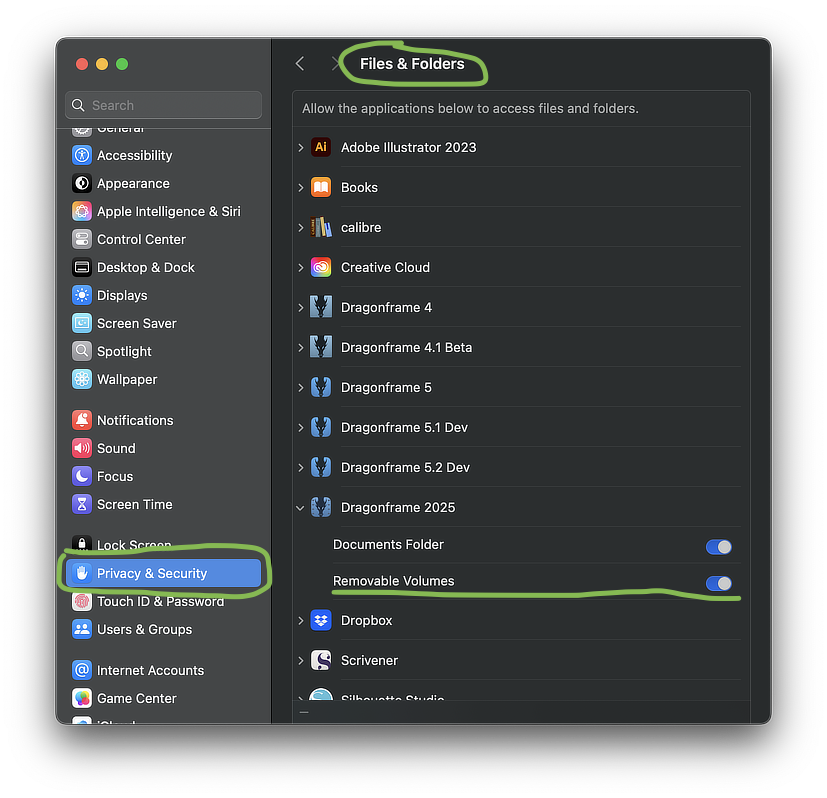
- Open System Settings : Privacy & Security : Files & Folders.
- Find the Dragonframe app, expand it, and enable “Removable Volumes”.
- Start Dragonframe.